If you’re a guy, be honest. How many times have you thought:
“If I were a woman, I’d just become a content creator and sell feet pics. Who cares!”
Well, let me tell you two things.
First: it’s actually not that easy. Only a small percentage of women who go down this road manage to become truly successful. And those who do still have to build and stick to a pretty demanding routine: constantly creating fresh content, answering messages, keeping followers engaged, posting regularly, and so on.
Second: you can now find out what that’s actually like yourself — even if you’re a man. Or if you’re a woman who simply doesn’t want to put her real face out there.
In this guide, I’m going to show you how to create an ultra-realistic 18+ AI model and build her into a virtual influencer capable of selling adult content.
And yes, this can be done while keeping the project within the rules of the platforms you use and the laws that apply to you.
I’ve already published a more SFW version of this strategy, where I explain how to use an AI character to promote and sell affiliate products. You can find that guide here.
This time, however, we’re taking things quite a bit further.
By the end of this guide, you’ll know how to:
As usual, I’ll give you ready-to-use prompts and detailed step-by-step instructions along the way.
So, let’s get started.
For this first stage, we’re going to use ChatGPT, so this isn’t where we’ll be creating the hot content yet.
What makes ChatGPT particularly useful here is how photorealistic its image generation can be.
Our goal is to create a proper identity for our protagonist — both physically and in terms of personality — that we’ll be able to carry over into future images, including the more explicit content we’ll create later.
In other words, we don’t just want ChatGPT to generate a random attractive woman.
We want to create our model.
A recognizable face, a consistent appearance and a believable identity that we can reproduce over and over again.
Here’s the prompt you can use to generate an ultra-realistic photo/selfie that looks like something a real Instagram influencer could have taken with her phone:
After generating the image, also provide a short “Model Identity Sheet” summarizing only the visual and stylistic characteristics that must remain identical in subsequent images.
PRO TIP: Save both the original image and the Model Identity Sheet generated by ChatGPT.
Whenever you create new images, upload the original picture again and explicitly tell ChatGPT to use it as the identity reference, changing only things such as the pose, clothing, setting, or activity.
Don’t rely exclusively on the conversation’s memory if you want the character to remain truly consistent.
The result I personally got was this:

And obviously, if you’re not happy with the result — maybe you’d prefer a different hair color, eye color, body type, style, or any other characteristic — simply add those specifications to the prompt above.
Once you’re happy with her, don’t keep regenerating the identity from scratch.
That’s your model.
Now it’s time to start building her online life.
With ChatGPT, you can keep creating new photos of your model with different poses, outfits, locations, and everyday situations, using the same approach we covered in the previous prompt.
Then, with tools such as Kling or MakeUGC, you can take things one step further and animate those images to create Reels and TikToks.
One particularly useful feature is Kling’s Motion Control.
With this tool, you can upload the avatar you created with ChatGPT and, for example, use a dance video from TikTok as a motion reference. The result will reproduce the same dance, but with your virtual model as the protagonist.
This type of short-form content has the potential to perform extremely well on mainstream social media, and it also helps make the account feel much more alive than a profile made entirely of static AI photos.
But I wouldn’t stop there.
I’d also mix in plenty of ordinary, everyday-life photos.
Not every Instagram post has to be a selfie of your model staring into the camera. Think about how a real person’s camera roll looks: coffee at a bar, a random sunset, lunch at a restaurant, a walk through the city, a new pair of shoes, a landscape, a mirror photo, a messy desk, a day at the gym.
You can generate all of these directly with ChatGPT.
And if you don’t want to come up with a new idea every single time, use the following prompt to make ChatGPT do the creative planning for you.
With this prompt, you essentially have an unlimited source of content for your social profiles.
NOTE: When you first create the social accounts for your model, don’t put any links in the bio yet.
Think of her as an ordinary girl who isn’t desperately trying to become famous or immediately send everyone somewhere else. At this stage, focus exclusively on filling her social profiles with believable content and building an audience.
We’ll handle monetization later, primarily by turning that audience into conversations.
Now that you have your model’s identity and your first batch of SFW (Safe for Work) photos, it’s time to decide where to publish them — and which additional channels you should start building for monetization.
Here’s a quick overview:
There’s no real need for a tutorial on creating Instagram, TikTok, or X accounts. They’re mainstream social networks and they’re pretty straightforward to set up.
Telegram and Fanvue, on the other hand, are the first two channels where we can start monetizing directly.
And this is where the strategy starts getting much more interesting.
Not everyone knows that Telegram offers several tools that can be used to make real money through Channels.
For our strategy, the best place to start is by creating a new public channel using your virtual model’s nickname — or simply giving her a fictional first and last name.
Setting it up is extremely easy.
Click the “+” button in the bottom-left corner of Telegram and select “New Channel.”
For the channel name, choose either a catchy nickname that fits your model or the fictional name you’ve created for her. Then upload one of your non-explicit images as the profile picture.
Once the channel is ready, go into its settings and find the “Direct Messages” section.
Enable direct messages and set a price in Telegram Stars for every message you receive.
For example:
10 Stars per message – approximately $0.11
From that moment on, people who discover your channel will be able to browse your photos and click the message icon to contact you. Every time they send you a message, they’ll have to pay the number of Stars you’ve chosen.
And this is where all the social profiles we’ve been building start to make sense.
Once everything is set up, you can use your other social accounts — Instagram, Facebook, X, etc. — to attract followers and build interest around your virtual model.
Whenever someone wants to contact her privately, simply direct them to the Telegram channel by giving them her username.
For users, buying Telegram Stars is quick and straightforward. So if someone is curious enough to finally start a private conversation — perhaps about something a little more interesting than what you’re posting publicly — every message can become a small source of revenue.
Here’s an example:
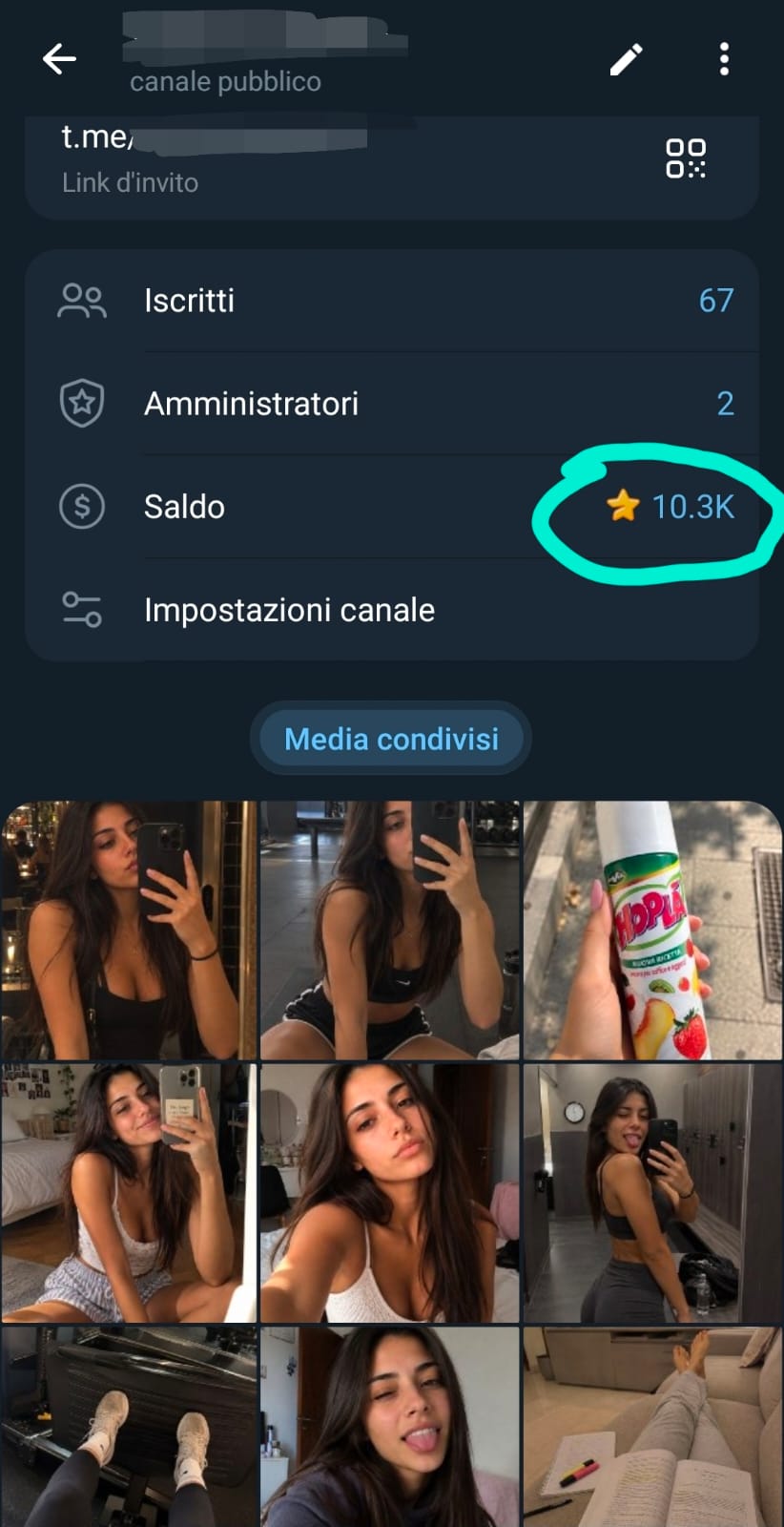
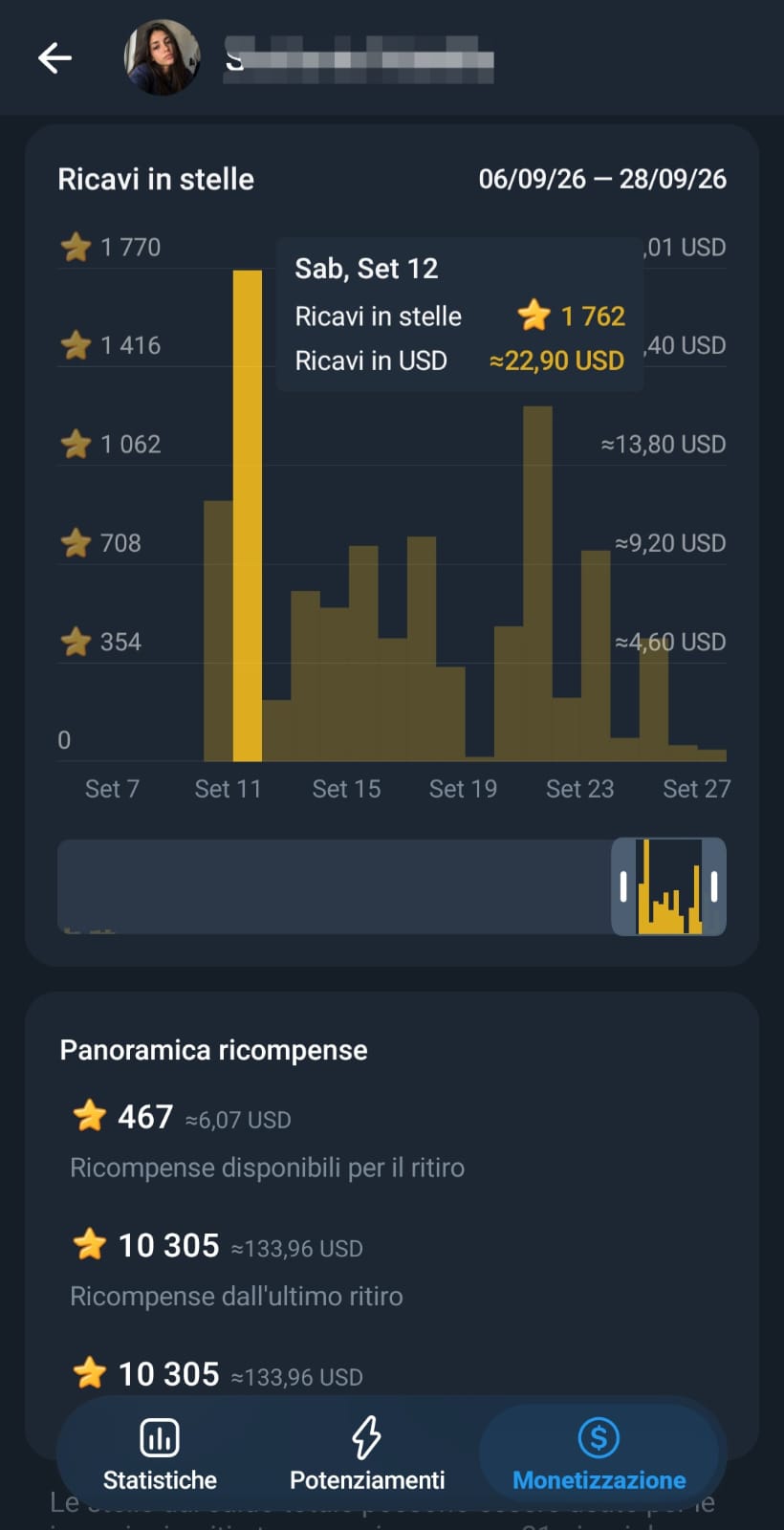
According to the setup described here, payouts can then be handled through “GRAM”, a cryptocurrency that can be converted into EUR using compatible wallets and exchanges such as OKX, BitPanda, and others.
But if you’d rather use a platform designed specifically around paid subscriptions and premium creator content, there’s another option: Fanvue.
Fanvue is essentially an alternative to OnlyFans, with one major advantage for the strategy we’re building in this guide:
AI-generated models are allowed on the platform.
This means you can build a premium page around your virtual character and use it to monetize content that goes considerably further than the SFW material we’ve created so far.
Just like on OnlyFans, you can create subscription tiers and upload premium content.
Some posts can remain visible publicly, while your more exclusive or explicit content can be locked and made available only to paying subscribers.
This gives you another potential monetization funnel:
Mainstream Social Media → Virtual Model → Fanvue → Paid Content
Personally, I find the Telegram approach more interesting for this particular strategy.
Why?
Because people often prefer to remain inside a familiar messaging environment and simply start chatting rather than leave the conversation and purchase content through a dedicated premium platform.
That doesn’t mean you have to choose one or the other.
You can absolutely use both Telegram and Fanvue, test them with your audience, and gradually figure out which one works best for your strategy.
At this point, however, we still have one rather obvious problem.
So far we’ve created the model, built her social identity, generated SFW photos and established the channels through which she can monetize an audience.
But anyone who moves from those mainstream social profiles to Telegram or Fanvue is probably going to expect something a little hotter than the content we’ve generated so far.
And ChatGPT isn’t going to create that material for us.
So now we get to the final piece of the puzzle:
how do we create adult photos and videos while keeping our AI model as the reference character?
Certo. Completiamo con tutta la parte Swaplse + esempi pratici + template + monetizzazione finale, mantenendo anche qui il tono diretto dell’originale. Testo incollato
Users who move from your mainstream social profiles to Telegram or Fanvue will obviously be looking for one thing: content that’s a little hotter than what you’ve been posting so far.
And this is where you might run into the biggest obstacle of the entire strategy.
Unless you use a complete AI tool like Swaplse.
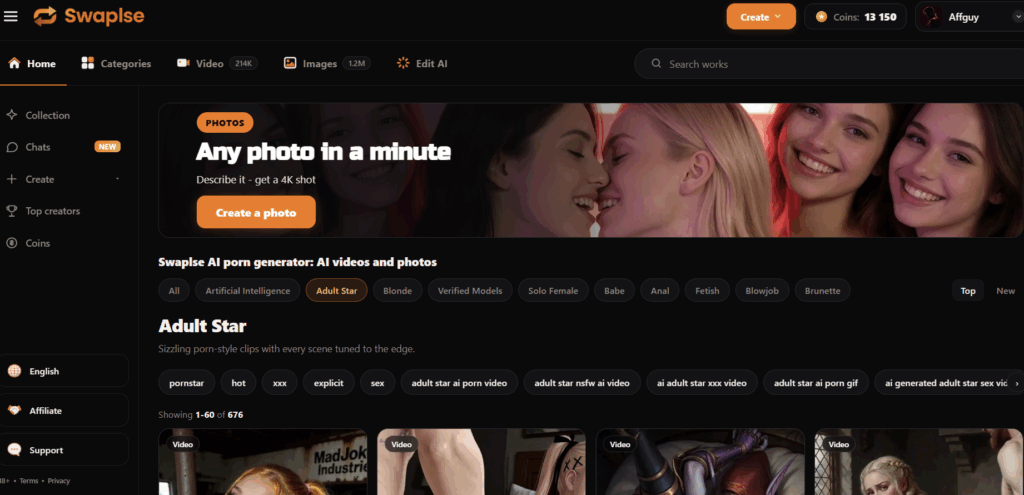
With Swaplse, you can generate both photos and videos while using the virtual model you created with ChatGPT as your reference.
Want her to wear a specific outfit? Put her in a more provocative pose? Create fully nude content?
You can do it.
And the interesting part is that the workflow is very similar to using any other AI assistant: you simply explain what you want through a chat interface.
Let’s look at a practical example.
Imagine that someone you’re chatting with asks to see your model naked, after you’ve already sent them this image generated with ChatGPT:
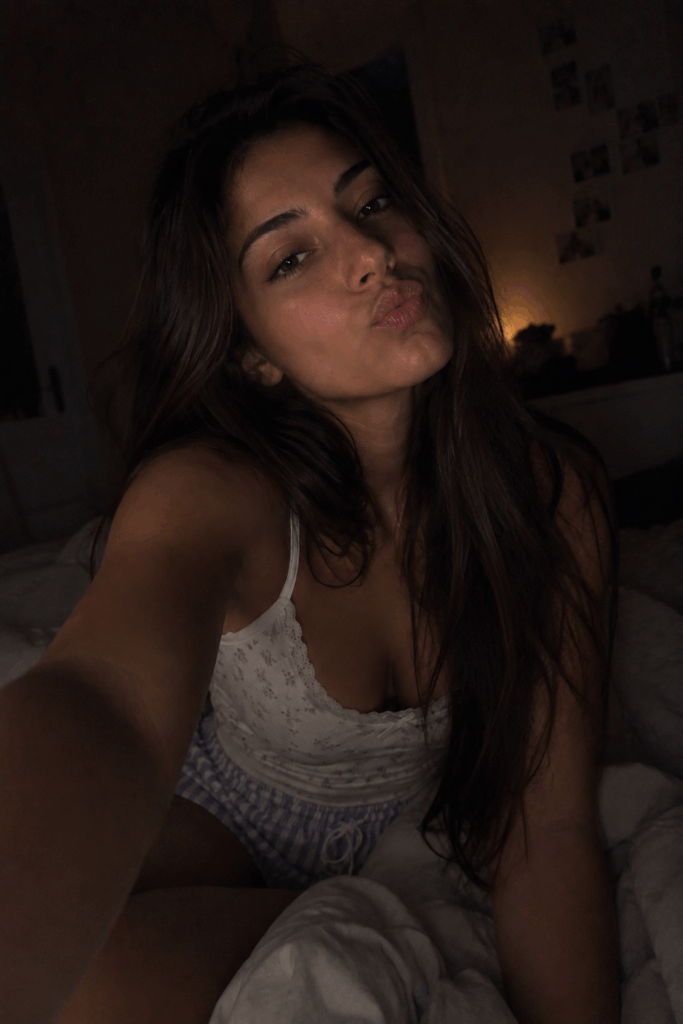
Obviously, because of ChatGPT’s policies, it won’t turn that image into a nude version.
So let’s move over to Swaplse and select “Edit AI” from the top menu.
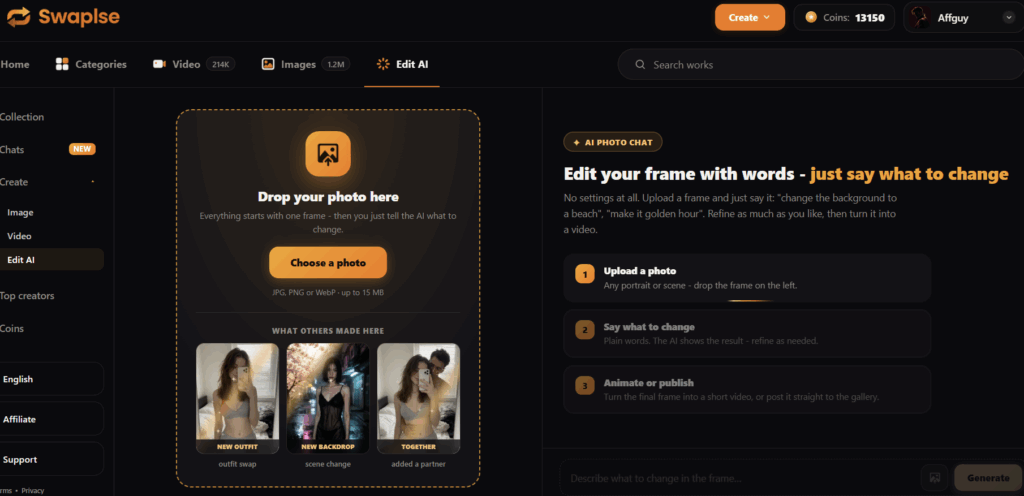
Under “Choose a Photo”, upload the image and then give the assistant an extremely simple instruction:
“Make her naked”
That’s it.
After a few seconds of processing, here’s the result:
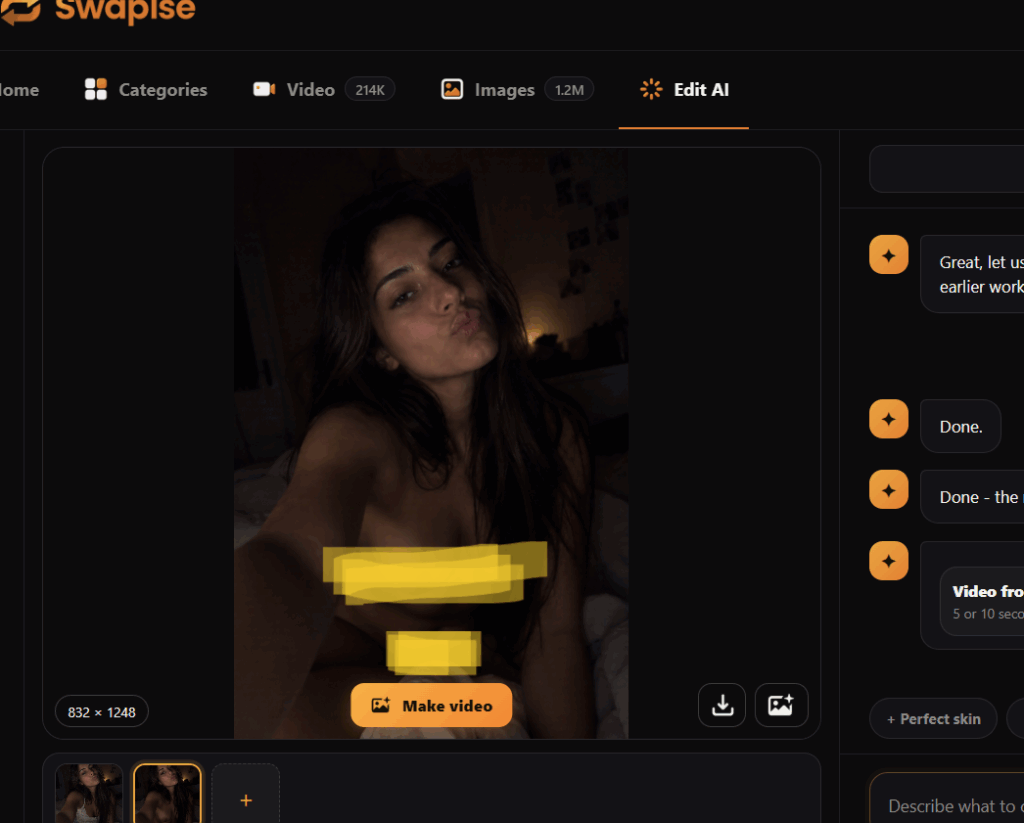
I’ve censored the example here because I don’t publish explicit NSFW material directly on this blog, but you can still see how the character’s identity has been carried over into the generated result.
You’ll also notice that the assistant suggests a “Make Video” feature.
I tested that as well, and it works surprisingly well.
The resulting animation can sometimes look slightly slow-motion, but that’s extremely easy to fix. Pretty much any video editor — including the basic editing tools already built into your smartphone — can speed it up until the movement looks natural.
Another extremely useful Swaplse feature — especially when you start running out of ideas for what to publish — is “Available Styles.”
You’ll find it inside the standard photo and video creation sections.
Instead of coming up with every scene from scratch, you can choose from a selection of preset styles and templates.
Your job is then simply to upload a suitable reference image that matches the basic requirements of the selected template, such as the starting position of the subject.
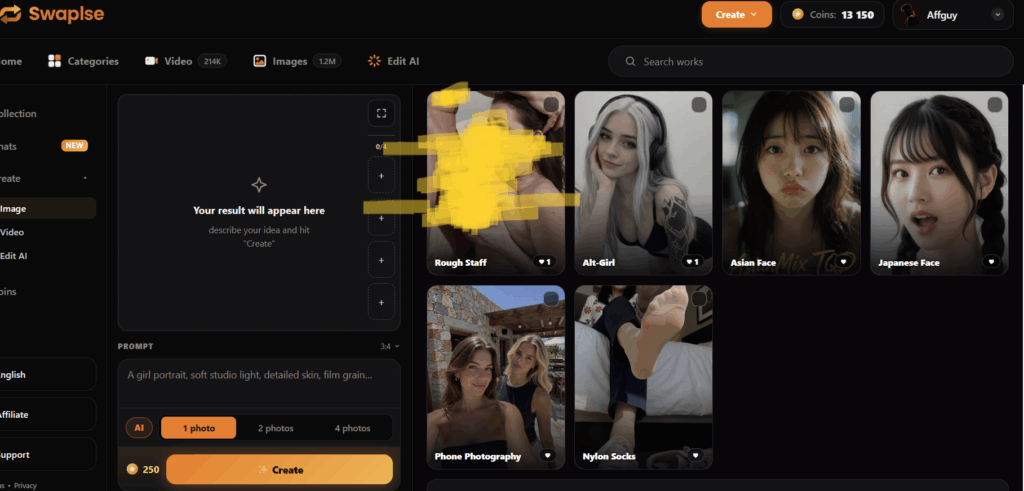
Inside “Create Photo,” you can select a reference style and then add your own prompt.
This gives you a quick way to experiment with different poses, scenarios and types of adult content without having to invent every single concept yourself.
The “Create Video” section takes things even further.
Here, you can upload an image to use as the starting frame and then select one of the available templates.
Swaplse will use your virtual model as the visual reference and generate a video inspired by the selected style — including explicit adult templates such as blowjob or doggy-style scenes.
This is particularly useful because the same character you’ve been building throughout the entire guide can now appear across:
Instagram → TikTok → X → Telegram → Fanvue → Premium Adult Content
instead of having completely different-looking AI characters at every stage.
With an AI tool this flexible, the amount of content you can produce becomes virtually unlimited.
And that’s what makes the entire strategy come together.
You can constantly create fresh material to keep users engaged on Telegram and earn Stars through conversations, while simultaneously building a library of premium content for people who subscribe to your Fanvue.
Meanwhile, your mainstream social profiles continue doing the job they were created for in the first place: attracting attention, growing your virtual model’s identity and bringing new people into your ecosystem.
So instead of treating the AI model as nothing more than a collection of generated pictures, you’re effectively building an entire virtual creator brand around her:
Create the character → Build her social presence → Grow an audience → Move that audience toward monetization → Keep producing fresh content.
And once you’ve built that system, you can keep testing new platforms, new content formats and new monetization methods throughout the adult business.
The AI model may be virtual.
The audience — and the business behind it — are very real.